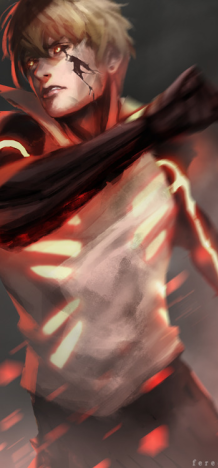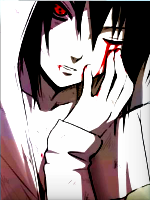
[Gimp] Monkey D Luffy (First attempt)

Status
Not open for further replies.

KuroKaze

Kage in the Making 👑
Legendary
11,418 posts 444 reactions
19
Joined
Jun 6, 2012
Messages
11,418
Status
Activity Streak
My first attempt in GFXing >.>

I used GIMP to create the render First. Then used PS to give the background. Even though the render was HQ, it came LQ >____> .

150x200
You must be registered for see images

150x300
You must be registered for see images

CNC appreciated =D​
 

Avinash012

Sannin of the Scrolls 📜
Elite
7,998 posts 402 reactions
Joined
Feb 10, 2013
Messages
7,998
Status
Activity Streak

Naruto.

Sage of Six Posts 🔮
Immortal
50,612 posts 736 reactions
5
Joined
Feb 8, 2013
Messages
50,612
Status
Activity Streak
Not bad for a first attempt. The render doesn't blend quite well with the background, plus the background seems unsuitable for this render.
 

johnny scars

Jōnin Strategist 🧠
Regular
1,340 posts 141 reactions
Joined
Aug 29, 2012
Messages
1,340
Status
Activity Streak
could i request you to make me a hollow aizen/ final form version? also ask me if you would like a render for it


thanks!
 

Sanzen

Anbu Operative 🎭
Veteran
2,844 posts 345 reactions
Joined
Aug 26, 2011
Messages
2,844
Status
Activity Streak
I'm not much of gfxer but I'm not going to lie nor am I a very nice person to begin with.
The render doesn't fit the background. Meaning, why a space background with luffy?
It looks like you placed luffy on the background and that was it. Try some blending techniques.
If you've got ps, why use gimp? Don't confuse yourself, stick to one program.
 

KuroKaze

Kage in the Making 👑
Legendary
11,418 posts 444 reactions
19
Joined
Jun 6, 2012
Messages
11,418
Status
Activity Streak
Not bad for a first attempt. The render doesn't blend quite well with the background, plus the background seems unsuitable for this render.

I'm not much of gfxer but I'm not going to lie nor am I a very nice person to begin with.
The render doesn't fit the background. Meaning, why a space background with luffy?
It looks like you placed luffy on the background and that was it. Try some blending techniques.
If you've got ps, why use gimp? Don't confuse yourself, stick to one program.

Yeah..like u said, I don't know the full use of options available in PS yet. And yes I just put the render in the background. Thanks for the criticism. I will do better next time ;)
 
Last edited:

The Sach

Kage in the Making 👑
Legendary
17,360 posts 1,197 reactions
7
Joined
Jan 15, 2013
Messages
17,360
Status
Activity Streak
Not bad bro, I think I should try gfxing too some day.:p
 

Naruto.

Sage of Six Posts 🔮
Immortal
50,612 posts 736 reactions
5
Joined
Feb 8, 2013
Messages
50,612
Status
Activity Streak
Yeah..like u said, I don't know the full use of options available in PS yet. And yes I just put the render in the background. Thanks for the criticism. I will do better nest time ;)

Start with stocks. Resize stocks first. Mess around with the Exposure settings, Sharpen tool and what not.
Then, move on to adding backgrounds to renders.
Once, you master making avatars out of stocks(including adding effects), then you can move on to this. :D
 

KuroKaze

Kage in the Making 👑
Legendary
11,418 posts 444 reactions
19
Joined
Jun 6, 2012
Messages
11,418
Status
Activity Streak
could i request you to make me a hollow aizen/ final form version? also ask me if you would like a render for it


thanks!

I will, when I get better at it >.> .

Not bad bro, I think I should try gfxing too some day.:p

You should, it's fun :D
Start with stocks. Resize stocks first. Mess around with the Exposure settings, Sharpen tool and what not.
Then, move on to adding backgrounds to renders.
Once, you master making avatars out of stocks(including adding effects), then you can move on to this. :D

Noted :)
 

Zorø

Kage in the Making 👑
Legendary
11,729 posts 687 reactions
11
Joined
Oct 24, 2012
Messages
11,729
Status
Activity Streak
Its kool dude keep it up..
 

Naruto.

Sage of Six Posts 🔮
Immortal
50,612 posts 736 reactions
5
Joined
Feb 8, 2013
Messages
50,612
Status
Activity Streak
-S-, Dragyz and Mizuchi should comment on this thread. They give the best CNC. ಠ_ಠ
 

Hei

Supreme
23,898 posts 1,602 reactions
23
Joined
Aug 22, 2011
Messages
23,898
Status
Activity Streak
With the tips some people already gave you,I'd recommend to start with basic tutorials(video or photo,doesn't really matter).For the beginners it's the fastest way to get use to GIMP/PS or whatever + learn the purpose of mos tools,options ect .
 

ShiroShonen

Jōnin Strategist 🧠
Veteran
2,363 posts 122 reactions
Joined
Jun 15, 2013
Messages
2,363
Status
Activity Streak
Looks good dude
 

- J AV -

Sannin of the Scrolls 📜
Elite
5,805 posts 652 reactions
3
Joined
May 4, 2012
Messages
5,805
Status
Activity Streak
Most of guys have done CnC . that's good so
Nice work Kuro
 

Neonian

Kage in the Making 👑
Legendary
10,830 posts 774 reactions
Joined
Oct 13, 2011
Messages
10,830
Status
Activity Streak
You should use PS's 'exposure' and 'Color Balance', also try zooming in more. ._.
 
Status
Not open for further replies.
Top