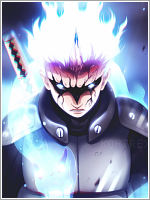
[Photoshop] Minato Signature Try

Sirius Black

Anbu Operative 🎭
Veteran
Joined
Mar 11, 2014
Messages
4,913
Reaction score
256
Made using tutorial from

This
You must be registered for see images


And this one I accidently sharpened more. But I still like it
You must be registered for see images

CNC---------> Appreciated

 

Sol Uchiha

Member
Joined
Apr 21, 2013
Messages
196
Reaction score
22
Imo, the yellow glow is a tad too much, could have a better flow. But besides that I like it :) , Nice job !
 

Ryóma

Kage in the Making 👑
Legendary
Joined
Aug 29, 2014
Messages
15,355
Reaction score
477
It's really great! I cant find anything to critique on.
 

Titania Erza

Anbu Operative 🎭
Veteran
Joined
Mar 15, 2012
Messages
3,726
Reaction score
690
You should never ever follow a tutorial step by step if you don't use literally every step with the exact same things. A tutorial is made based on a work which was already made. For exampleyou can't use a manual of the previous closet which you build and use it to build another closet, the same applies for GFX tutorials. A GFX tutorial shows you what kind of techniques were used and the order in which and by looking at the results of every step you can also see the reasoning behind them.

Anyway here is the CnC:
  • Both the signatures are oversharpened
  • The Minato signatures are too yellow, add a little bit more yellow and the rasengan would look green.
  • The colors used are weird, yellow while the stock picked was blue.
 
Last edited:

Hei

Supreme
Joined
Aug 22, 2011
Messages
23,898
Reaction score
1,601
My eyes ... @_@ .... too briiiiiiiiiiiiiiiiiiiiiiight
 
Top