- Joined
- Feb 25, 2012
- Messages
- 1,512
- Reaction score
- 85
You must be registered for see images
I'm still new to GFX'ng and GIMP and I know I messed up at some point(s).
Violent reactions are welcome.



You must be registered for see images
I'm still new to GFX'ng and GIMP and I know I messed up at some point(s).
Violent reactions are welcome.
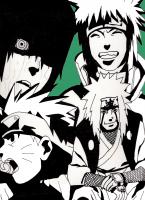
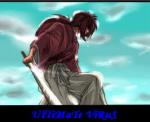
For a beginner thats not a bad effort, text doesnt really work but apart from that its a good effort =]
i appreciate the feedback guys. thanks a lot. :scorps:
thanks for pointing that out. i got tired from rendering the stock and just picked up a random font online. xD I'll make sure next time the font stands out.
thanks for pointing that out. i got tired from rendering the stock and just picked up a random font online. xD I'll make sure next time the font stands out.
Hehe completely the wrong idea, the idea of text isnt to stand out but to blend in and be hard to notice. As it is now the font isnt too bad its just too big and the wrong color, try picking a color from the sig like the blue light colour. Dont position font in corners either because it disrupts the flow and draws attention away from the render =] hope this helps.
Not a bad job for a beginner, just a couple of things to note though are, borders more often than not ruin a tag and you have kinda butchered your border by not erasing it properly. If you want to use borders try using your rectangle marquee tool and decide on the thickness you want for your border then right click and fill after that duplicate the layer and move it to the opposite side as the original. Or just 2-3 pixel stroke it, the rest of the tag is not too bad just a simple case of doing more tags and read a few more tuts and you will be on your way.
thanks for the help.