
[Photoshop] Titania

Titania Erza

Anbu Operative 🎭
Veteran
3,726 posts 690 reactions
1
Joined
Mar 15, 2012
Messages
3,726
Status
Activity Streak
You must be registered for see images

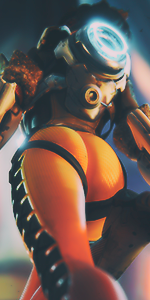
I was messing around trying to make myself a new signature. Any feedback please?
ps: how does thetext look, I used caps lock arial and edited it a bit

Render
You must be registered for see images
​
 

~Ethereal~

Legendary Shinobi 🐸
Supreme
24,294 posts 3,330 reactions
1
Joined
Apr 22, 2014
Messages
24,294
Status
Activity Streak
Nice, she's my 3rd favourite character.
 

BelphaZar

Anbu Operative 🎭
Veteran
2,515 posts 395 reactions
Joined
Sep 26, 2011
Messages
2,515
Status
Activity Streak
Wow nice i haven't tried doing air sig. I'll try one tho they seem easy to do well done
 

suki

Anbu Operative 🎭
Veteran
4,357 posts 808 reactions
30
Joined
Feb 9, 2013
Messages
4,357
Status
Activity Streak
Looks flawless. The text is amazing as well. Great work! :)
 

loj

from the east blue
Immortal
50,368 posts 1,781 reactions
15
Joined
Aug 5, 2014
Messages
50,368
Status
Activity Streak
10/10

Can u tell me what brushes are these?
 

Aominecchi

Kage in the Making 👑
Legendary
15,610 posts 495 reactions
4
Joined
Mar 7, 2012
Messages
15,610
Status
Activity Streak
looks awesome !
really nice job, i like the text
 

Skull Knight

Anbu Operative 🎭
Veteran
4,442 posts 272 reactions
Joined
Jun 6, 2013
Messages
4,442
Status
Activity Streak
It looks awesome bro
 

Torche

Sage of Six Posts 🔮
Immortal
58,956 posts 3,171 reactions
20
Joined
May 15, 2013
Messages
58,956
Status
Activity Streak
Looks good, although text could use some depth, imo. For example, you could duplicate the text layer and offset the bottom one a bit for a 3d effect. Or you could use inner shadow, or something. Like this:

You must be registered for see images

 

Beastbomb

Jōnin Strategist 🧠
Regular
1,897 posts 723 reactions
3
Joined
Feb 17, 2012
Messages
1,897
Status
Activity Streak
The text looks great imo, I feel that the blending needs more attention though. Maybe add something around the edges of the render to help it blend into what you have in the background more, but other than that the rest looks great good job and KIU:)
 
Top