[Photoshop] Third Signature... Any Tips?

193 posts 10 reactions
Joined
May 11, 2013
Messages
193
Status
Activity Streak
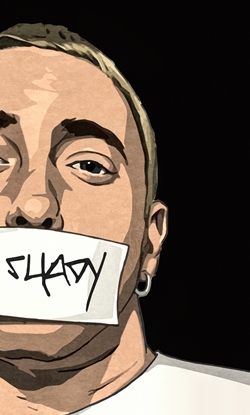
Hey, this is my third signature I have made.

Tips on how I can improve would be helpful. Oh, and if you could recommend any tutorials I should watch that would be great.


TheKyuubiIchigo

Jōnin Strategist 🧠
Regular
1,180 posts 128 reactions
Joined
Dec 21, 2011
Messages
1,180
Status
Activity Streak
It's a bit too plain on the left side. Plus try to make the text stand out a bit more.
 

Kages

Kage in the Making 👑
Legendary
16,549 posts 877 reactions
Joined
Nov 23, 2012
Messages
16,549
Status
Activity Streak
It's too plain, add more colors, more abstract' make the text and render brighter as well, and the render needs to stand out a lot more so sharpen it.
 

Drāgy

Member
6,458 posts 187 reactions
Joined
Apr 22, 2013
Messages
6,458
Status
Activity Streak
Well I you can do this:
- Make the signatures dimension : 450 x  262
- Always use high quality renders!
- You need to add way more details than that, you need to add background, c4ds, overlays, lens flares etc.
- Make the text bigger and add some gradients or stroke to it

Overall I would say that you need to practice more, look in deviantart or in youtube for tutorials, but I guess for first try is not that bad.
 

Rainbow Dash

Sannin of the Scrolls 📜
Elite
9,702 posts 1,027 reactions
2
Joined
Dec 9, 2012
Messages
9,702
Status
Activity Streak
Bigger Dimension.
Effects.
Fractals.
Render needs to be closer to center.
Balance colors more, there is too much of red and very little of brown.
 

Cascade

Jōnin Strategist 🧠
Regular
1,469 posts 327 reactions
Joined
May 10, 2012
Messages
1,469
Status
Activity Streak
man something i think uve experimented a bit with here is smudging, i can see it slightly on gaara,
what u need to do is find a stock and some c4d that u think find a render,
make sure theyre all high quality and think about what may look nice with the c4d ur using.
After uve done that, have a look down ur tools and get to know all of them a little bit better, figure out how they work (u dont have to do all but there are some good tools like smudging, blurs, sharpen and blur, dodge and burn for lighting aswell, laeyer effects, opacity, gradiant maps...etc)


Now i would suggest for you to look up Shenron's guide to signature making - photoshop
he makes a really good visual guide for newbies

Basically there are some main things that gfxers pay attention to

- Depth
- Lighting
- Quality
- composition
- Colour balance
- Blend
- Flow

If you keep these things in mind when working you'll be fine :)

Goodluck!
 

BazzBee

Kage in the Making 👑
Legendary
14,587 posts 1,222 reactions
Joined
Mar 11, 2013
Messages
14,587
Status
Activity Streak
Too plain, needs a better background and use high quality renders and use C4Ds and watch tuts for better explanation....
Over all not bad Yohohohoho !
 
Top