
You are using an out of date browser. It may not display this or other websites correctly.
You should upgrade or use an alternative browser.
You should upgrade or use an alternative browser.
Take two
- Thread starter Joker
- Start date
More options
Who Replied?

- Joined
- May 15, 2013
- Messages
- 58,956
- Reaction score
- 3,171
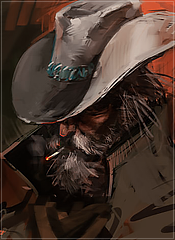
Pretty nice work, great because of it being your second try.
Did you intentionally make the borders inconsistent? They would look better consistent, imo. If it was not intentional, if you zoom in further you will see each individual pixel which'll make it easier to select evenly.
First one could use a bit more colour. I think you darkened/faded it a bit too much.
Other than that, great work, keep it up.
Did you intentionally make the borders inconsistent? They would look better consistent, imo. If it was not intentional, if you zoom in further you will see each individual pixel which'll make it easier to select evenly.
First one could use a bit more colour. I think you darkened/faded it a bit too much.
Other than that, great work, keep it up.

- Joined
- Jun 25, 2013
- Messages
- 29,426
- Reaction score
- 1,559
Thank you, it's hard for me, since i'm on a laptop and all, so it felt weird. Trying to find a way to easily make them even without that much concentration, I got a mad case of shaky hands.Pretty nice work, great because of it being your second try.
Did you intentionally make the borders inconsistent? They would look better consistent, imo. If it was not intentional, if you zoom in further you will see each individual pixel which'll make it easier to select evenly.
First one could use a bit more colour. I think you darkened/faded it a bit too much.
Other than that, great work, keep it up.
I like it the most too ;-;aaayyyyeeeeeeeeee!!!!
You must be registered for see images

- Joined
- Nov 14, 2014
- Messages
- 10,065
- Reaction score
- 135
I'll leave my noobie advice here xd
"Make a layer, and create a very thick border like 4-5 pixels, or less, whatever you want. Then you highlight inside that border, and make another layer. Inside that newly highlighted layer you will create another stroke line border. Then you are free to hide the thick one, and use the now even border, inside your avatar."
"Make a layer, and create a very thick border like 4-5 pixels, or less, whatever you want. Then you highlight inside that border, and make another layer. Inside that newly highlighted layer you will create another stroke line border. Then you are free to hide the thick one, and use the now even border, inside your avatar."
- Joined
- May 15, 2013
- Messages
- 58,956
- Reaction score
- 3,171
Thank you, it's hard for me, since i'm on a laptop and all, so it felt weird. Trying to find a way to easily make them even without that much concentration, I got a mad case of shaky hands.
Yeah, I understand. If it's also Zooming that you are having trouble with, it make be helpful to know that Control and + will zoom. But, you make be having trouble with the selecting too.
- Joined
- Jun 25, 2013
- Messages
- 29,426
- Reaction score
- 1,559
Yeah, I understand. If it's also Zooming that you are having trouble with, it make be helpful to know that Control and + will zoom. But, you make be having trouble with the selecting too.
You must be registered for see images
Like this?
- Joined
- May 15, 2013
- Messages
- 58,956
- Reaction score
- 3,171
You must be registered for see images
Like this?
Yeah, perfect!
You could make the gap between the outsides larger, or whatever though. It doesn't have to be just 1px always.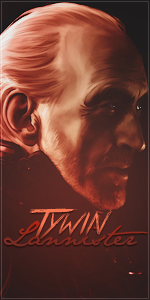
- Joined
- Mar 10, 2014
- Messages
- 11,086
- Reaction score
- 899
You must be registered for see images
is this Cinderella's step-mother? Lol
These look great though

- Joined
- Mar 10, 2014
- Messages
- 3,023
- Reaction score
- 233
nice work! :hooray: