[Photoshop] Signatures

-R-

Jōnin Strategist 🧠
Regular
Joined
Jun 1, 2013
Messages
1,419
Reaction score
264
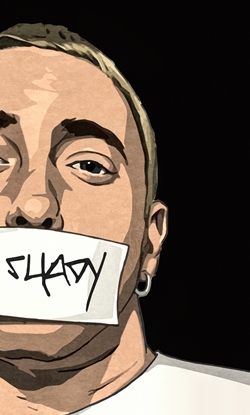
Encouraged by M3U-Nefertari-and Megaamine. Hope I made you proud =D

You must be registered for see images
 
Last edited:

Clouds

Anbu Operative 🎭
Veteran
Joined
May 12, 2013
Messages
4,004
Reaction score
366
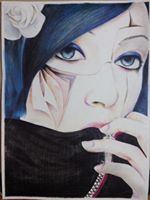
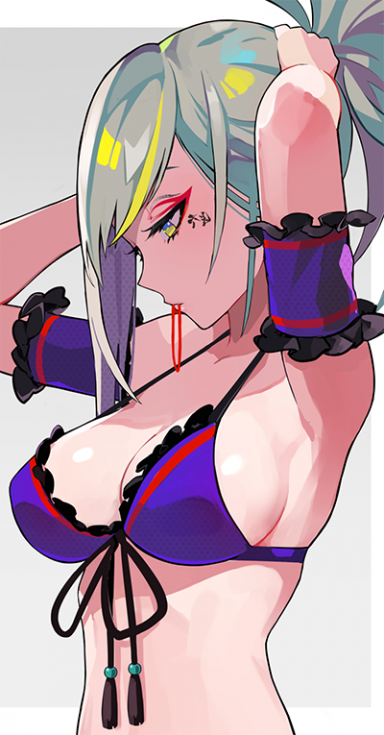
Looks awesome just like this avatar u made for me.=D

Btw is that last girl from touhou... ._.
 

Aertes

Anbu Operative 🎭
Veteran
Joined
Jan 3, 2013
Messages
4,667
Reaction score
658
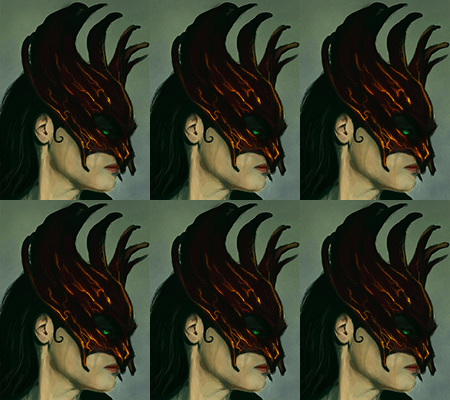
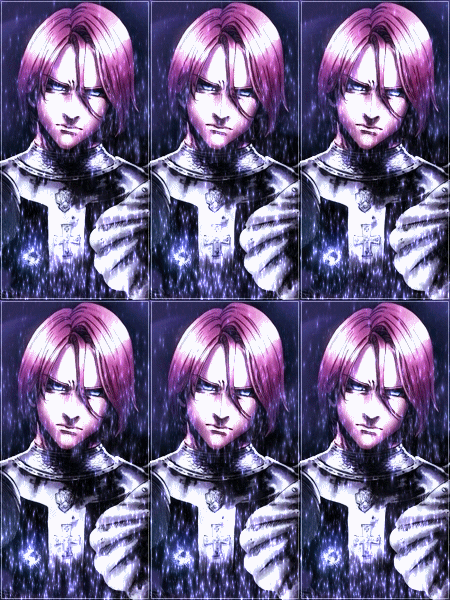
They look good.Just work on the blending,the render and effects pop out too much imo.A lil more light in few places would be great too *_*
 

-R-

Jōnin Strategist 🧠
Regular
Joined
Jun 1, 2013
Messages
1,419
Reaction score
264
Looks awesome just like this avatar u made for me.=D

Btw is that last girl from touhou... ._.
Don't know anything about dem characters. Just wrote Anime render and thats it :|
 

-R-

Jōnin Strategist 🧠
Regular
Joined
Jun 1, 2013
Messages
1,419
Reaction score
264
They look good.Just work on the blending,the render and effects pop out too much imo.A lil more light in few places would be great too *_*
You see thats my problem, I dont know nothin about dem effects :|
 

Kurome

Anbu Operative 🎭
Veteran
Joined
May 6, 2013
Messages
3,276
Reaction score
382
They're great, especially the first one <3
 

Trollo Lucilfer

Kage in the Making 👑
Legendary
Joined
Sep 26, 2012
Messages
12,510
Reaction score
418
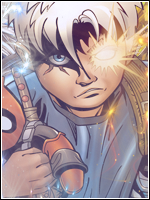
The blending job in the second and the third is alright, the signatures are quite huge xD, try making small tags (400x200, 500x240...)
Anyway you did a good job there.
 

BazzBee

Kage in the Making 👑
Legendary
Joined
Mar 11, 2013
Messages
14,587
Reaction score
1,222
Woah the size is too big, and the effects show up to much practice on blending a bit and... could i have the render of the last sig ? :3
 

suki

Anbu Operative 🎭
Veteran
Joined
Feb 9, 2013
Messages
4,357
Reaction score
807
Yes you done it this time, great work ^_^
One thing, tbh try to watch more signature tutorials on YouTube, there is heaps of them that are really helpful. IMO one video will definitely help you. They'll help you with proportion, depth, flow and blending skills. So if you take your time on those, I'm sure you'll do even more great.. And so you will be able to apply them onto your avatars too :)

Keep them coming *_*
 

Beastbomb

Jōnin Strategist 🧠
Regular
Joined
Feb 17, 2012
Messages
1,897
Reaction score
723
I think your major issues here are composition,blending,depth they are good attempts but are lacking in key areas. Mainly those I stated at the start. I have sent you a pm with some guides that can help you with understanding what is needed to make good tags. But at the end of the day it still boils down to practice, also I think M3U stated about your size dimensions and I fully agree with him. There is no point using sizes of 500x300(at a guess) when you don't know what you are doing, otherwise you will just turn out a bad result. I suggest dropping down to 400x200 that size is a great size to start out with as it will leave you with less space to fill. It is also one of the most commonly used sizes for tags, so as I said in my pm if you combine those guides with tutorials and some practice you will get better in no time:)
 

Funky Tiger

Anbu Operative 🎭
Veteran
Joined
May 12, 2013
Messages
4,169
Reaction score
433
you gotta blend the renders more. duplicate the layer with the renders, and smudge the shit outta the render, and duplicate the layer again, and this time set it on maybe dodge and lower the opacity to about 45-60%, and then add some lighting effects to the background. Nice sigs though :D
 
Top