Signature - Master Yi

Pavoneo

Anbu Operative 🎭
Veteran
Joined
May 1, 2012
Messages
2,646
Reaction score
616
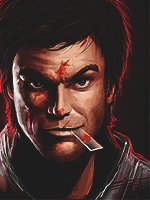
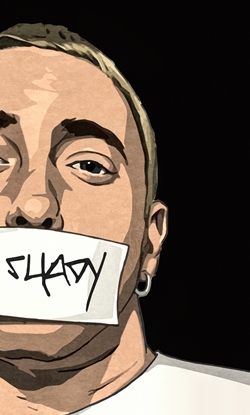
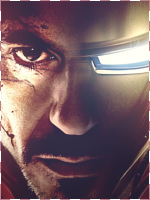
Playing around with a style I like a lot, need to improve on it a good bit before I'm confident with making this style ~_~.

You must be registered for see images


CnC would be awesome.

Looks sooo bad on a white background xD. Hate that.
 

Megatolium

Anbu Operative 🎭
Veteran
Joined
May 4, 2012
Messages
3,168
Reaction score
416
Looks freaking epic xd

I dont have much to CnC about but; the glow patches on the left should fade into the darkness, or at least glow :p
 

Yanks

Kage in the Making 👑
Legendary
Joined
Jun 20, 2013
Messages
11,787
Reaction score
822
It looks good :) but, it kinda looks unclear
 

Horus

Elite
Joined
Sep 25, 2012
Messages
8,298
Reaction score
1,485
I saw a style similar to this on another site (You know where ._.) and I am not really fond of it. But this is really good. The position of the C4D is perfect around the edges of the render.
It does look a bit oversharpened though.
KIU U_U
 

Genjin

Anbu Operative 🎭
Veteran
Joined
Aug 10, 2011
Messages
2,529
Reaction score
320
Looks burnt. The render doesn't connect or go well together with the background. I'm not talking about blending, I'm talking about the scenery itself. The C4Ds are also not placed correctly and I feel like you're trying to hide them especially at the left side.
 

Pavoneo

Anbu Operative 🎭
Veteran
Joined
May 1, 2012
Messages
2,646
Reaction score
616
Yeah, not one of my better tags :). Sorry guys.
 

suki

Anbu Operative 🎭
Veteran
Joined
Feb 9, 2013
Messages
4,357
Reaction score
807
Unclear depending on screen brightness.
I moved it to black BG and it looks great, keep it up! :)
 

-R-

Jōnin Strategist 🧠
Regular
Joined
Jun 1, 2013
Messages
1,419
Reaction score
264
He blur,the sharpenin' the everything in this tag is EPIC !

You point, make it a bit......brighter !
 

-S-

Legendary Shinobi 🐸
Immortal
Joined
Jan 16, 2011
Messages
41,396
Reaction score
2,409
You said it looks weird on a white background. How about changing the background of Photoshop to white whilst designing? I'm not talking about the canvas, but the area behind the canvas. You can right-click to change its colour. It'll help avoid those kinds of problems after you save and view it on NB. I personally do that, and it does help.
 

BazzBee

Kage in the Making 👑
Legendary
Joined
Mar 11, 2013
Messages
14,587
Reaction score
1,222
Dat venice background ~.~

Epic, and just what Red said, it helps alot changing the area behind the canvas to white.

EDIT: I mean -S-
 

Pavoneo

Anbu Operative 🎭
Veteran
Joined
May 1, 2012
Messages
2,646
Reaction score
616
Hmm, good idea. :3 I'll do that for my next tag^^ thanks.
 

Noni

Kage in the Making 👑
Legendary
Joined
Dec 20, 2012
Messages
13,987
Reaction score
610
Its alright for the most part
 
Top