[Signature] Signature Help!

JStar King

Sannin of the Scrolls 📜
Elite
Joined
Apr 13, 2014
Messages
8,958
Reaction score
790
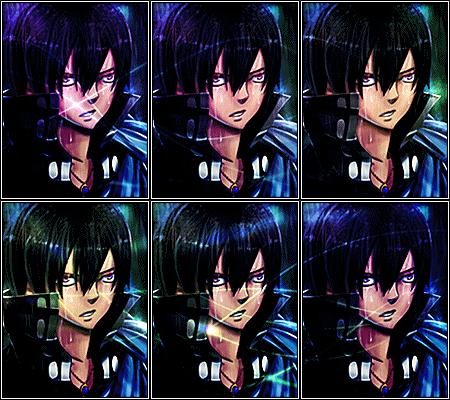
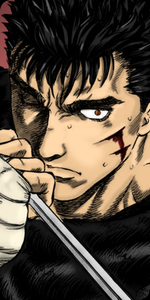
I need help resizing this image for my signature.

You must be registered for see images

Can someone help me please? :pwease:


Reraru

Kage in the Making 👑
Legendary
Joined
Jun 12, 2013
Messages
16,035
Reaction score
1,170
I'll do it.
 

Reraru

Kage in the Making 👑
Legendary
Joined
Jun 12, 2013
Messages
16,035
Reaction score
1,170
You must be registered for see images

You must be registered for see images


Save it. They'll be removed soon.
 

MadaraUchiha449

Leaf Village Regular 🍃
Regular
Joined
Nov 5, 2011
Messages
503
Reaction score
120
You must be registered for see images

You must be registered for see images


Save it. They'll be removed soon.

1st one is stretched and doesnt look good at all.
2nd is just zoomed in more to make it look smaller.

sorry but sometimes criticism is necessary for improvement, if you are using gimp or photoshop you can hold the shift key while editing the shape to keep the image proportioned. (to make the image not stretched or look like the head is squished or too long)
 

Reraru

Kage in the Making 👑
Legendary
Joined
Jun 12, 2013
Messages
16,035
Reaction score
1,170
1st one is stretched and doesnt look good at all.
2nd is just zoomed in more to make it look smaller.

sorry but sometimes criticism is necessary for improvement, if you are using gimp or photoshop you can hold the shift key while editing the shape to keep the image proportioned. (to make the image not stretched or look like the head is squished or too long)

Thanks. I used online resizer.
 

Skorm

ιn ѕιlιco
Elite
Joined
May 1, 2017
Messages
8,640
Reaction score
1,848
Heads up. This isn't the right subsection for requests. This is;

Other than that, here. I didn't see anyone doing it yet in the thread.
(within allowed dimensions)
You must be registered for see images


Also, if you run macbook the program preview lets you drag pictures and resize them without losing quality(obviously only to smaller sizes than original). If not using mac, gimp ps or even paint should do it.
 
Last edited:
Top