
You are using an out of date browser. It may not display this or other websites correctly.
You should upgrade or use an alternative browser.
You should upgrade or use an alternative browser.
[Gimp] Premium Avatars
- Thread starter Luminous
- Start date
More options
Who Replied?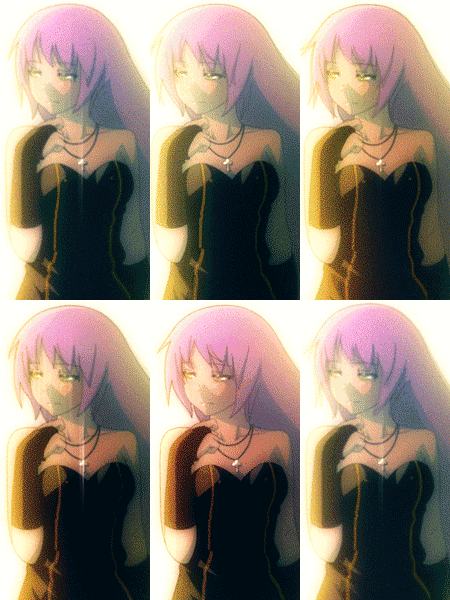

797 posts
47 reactions
- Joined
- May 16, 2012
- Messages
- 797
- Status
- Activity Streak
They look cool.

16,406 posts
742 reactions
- Joined
- Apr 21, 2012
- Messages
- 16,406
- Status
- Activity Streak
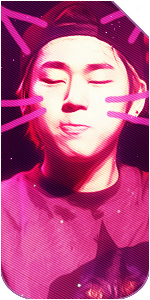
Nice ^O^ The first one is the best for me

4,521 posts
295 reactions
1

- Joined
- Dec 29, 2011
- Messages
- 4,521
- Status
- Activity Streak
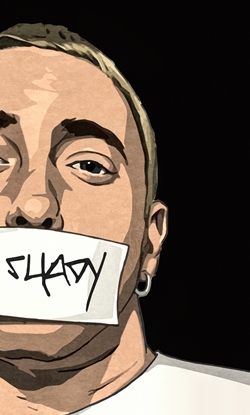
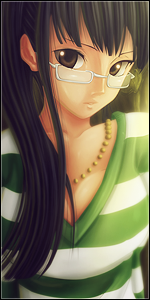
Yep I like the 3rd one ^.^



Luminous
Member
165 posts
44 reactions
- Joined
- Apr 26, 2013
- Messages
- 165
- Status
- Activity Streak
Thanks, and since when was I your boy?They are good, now that's my boy.....3rd one just Wow



14,439 posts
286 reactions
- Joined
- Feb 18, 2013
- Messages
- 14,439
- Status
- Activity Streak
Very Nice!!! =D
Luminous
Member
165 posts
44 reactions
- Joined
- Apr 26, 2013
- Messages
- 165
- Status
- Activity Streak
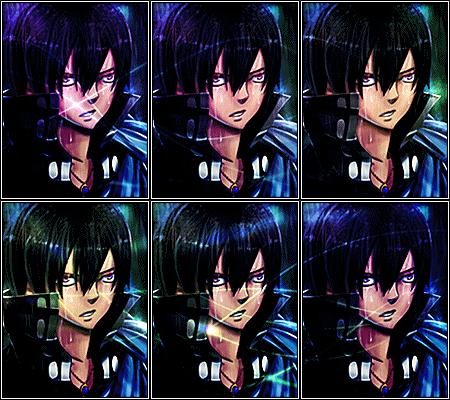
Sure, go ahead.I will be taking the 1st one thanks
83,746 posts
1,093 reactions
7
Sure, go ahead.
thank you, you sure are amazing
503 posts
120 reactions
2

- Joined
- Nov 5, 2011
- Messages
- 503
- Status
- Activity Streak
1st one is the best one.
try using stocks if your a beginner so you can make good avatars without stuffing the whole thing up because of the bg behind the render.
if your going to use a render make sure the bg fits in with the avatar very well and doesnt destroy to whole thing.
try putting some text on the avatars aswell because it makes a avatar a whole lot better if you put a good text on it.
the third one the scan lines you used are to revealing!, try lowwering the opacity to make them noticable but not dominate the avatar.
try getting rid of those little straight lines because it just doesnt fit in with the avatars.
dont use to many c4ds or effects for a avatar because if your a beginner you wont learn to made pure looking ones meaning no messy looking avatars and it is clean and still looks amazing
good job anyways and i hope you take in the advice
try using stocks if your a beginner so you can make good avatars without stuffing the whole thing up because of the bg behind the render.
if your going to use a render make sure the bg fits in with the avatar very well and doesnt destroy to whole thing.
try putting some text on the avatars aswell because it makes a avatar a whole lot better if you put a good text on it.
the third one the scan lines you used are to revealing!, try lowwering the opacity to make them noticable but not dominate the avatar.
try getting rid of those little straight lines because it just doesnt fit in with the avatars.
dont use to many c4ds or effects for a avatar because if your a beginner you wont learn to made pure looking ones meaning no messy looking avatars and it is clean and still looks amazing
good job anyways and i hope you take in the advice
Luminous
Member
165 posts
44 reactions
- Joined
- Apr 26, 2013
- Messages
- 165
- Status
- Activity Streak
Thanks for the constructive CnC! =D1st one is the best one.
try using stocks if your a beginner so you can make good avatars without stuffing the whole thing up because of the bg behind the render.
if your going to use a render make sure the bg fits in with the avatar very well and doesnt destroy to whole thing.
try putting some text on the avatars aswell because it makes a avatar a whole lot better if you put a good text on it.
the third one the scan lines you used are to revealing!, try lowwering the opacity to make them noticable but not dominate the avatar.
try getting rid of those little straight lines because it just doesnt fit in with the avatars.
dont use to many c4ds or effects for a avatar because if your a beginner you wont learn to made pure looking ones meaning no messy looking avatars and it is clean and still looks amazing
good job anyways and i hope you take in the advice