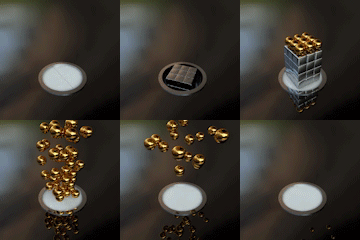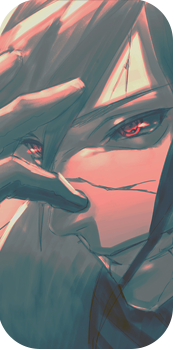
New (text effect) sig

Funky Tiger

Anbu Operative 🎭
Veteran
Joined
May 12, 2013
Messages
4,169
Reaction score
433
Um so i spent about 20 minutes making this. How's it?

You must be registered for see images


I'm happy with it, but the overlap's been bugging me. :| any tips on how to get rid of it?
 
Last edited:
Οdin

Sage of Six Posts 🔮
Immortal
Joined
Jun 14, 2012
Messages
63,117
Reaction score
1,491
Looks okay. Lol
 

Funky Tiger

Anbu Operative 🎭
Veteran
Joined
May 12, 2013
Messages
4,169
Reaction score
433
thanks man :D

oh and if anyone wants one, feel free to ask me
 

suki

Anbu Operative 🎭
Veteran
Joined
Feb 9, 2013
Messages
4,357
Reaction score
807
What do you mean by overlaps? I don't see any flaws IMO, nothing noticeable atleast. It's pretty good ^^
 

Funky Tiger

Anbu Operative 🎭
Veteran
Joined
May 12, 2013
Messages
4,169
Reaction score
433
look at the bottom of the letters, you can actually see the text through the droplets.

that's not how water works :S
 

suki

Anbu Operative 🎭
Veteran
Joined
Feb 9, 2013
Messages
4,357
Reaction score
807
^ why not erase the parts that interrupt the connection? :eek:
Anyway, it's not really such a big deal tbh, it still looks pretty neat.
 

Funky Tiger

Anbu Operative 🎭
Veteran
Joined
May 12, 2013
Messages
4,169
Reaction score
433
erasing would make it look even worse :| those parts would be empty

thanks for the support thoug ^^
 

Beastbomb

Jōnin Strategist 🧠
Regular
Joined
Feb 17, 2012
Messages
1,897
Reaction score
723
To get rid of those overlaps, select the layer that the splodges are on then hold down the CTRL key and click on the text layer that will bring up a selection around the text only now grab the eraser tool and erase the splodges inside the selection just make sure you have the splodges layer selected otherwise it will erase the text as well:)
 

Delta

Banned
Legendary
Joined
Jul 4, 2012
Messages
12,187
Reaction score
519
Looks kinda weird, not my kinda thing
 
Top