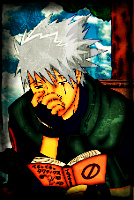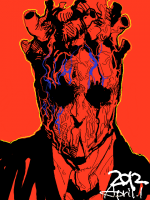
[Photoshop] Need advices (coloring).

Supermacaquecool

Anbu Operative 🎭
Veteran
Joined
May 17, 2012
Messages
3,432
Reaction score
503
Well, this is my second try at coloring, and it's being a bit complicated for me :ghehe:
Right now I'm doing like this:
You must be registered for see images

Looks retarded, doesn't it? Does any 1 have some advices for me?
And also...notice I'm using Photoshop Elements 8.
Thanks :p
 

Shinta

Kage in the Making 👑
Legendary
Joined
Dec 11, 2010
Messages
19,097
Reaction score
446
I generally like to start with the background first so I have the larger parts the require less (initially) detail out of the way. Then for each part, lets start with the skin, I would choose the colour I think best suit it. Then on a new layer I choose a darker tone of that same colour and put in some shadows. I then get an even darker shade of the same colour and use that to colour in the very dark shadows (if needed).

Make sure to put each new colour and shade on a new layer for easier editing.

p.s. Did any of that make sense? xd
 

Supermacaquecool

Anbu Operative 🎭
Veteran
Joined
May 17, 2012
Messages
3,432
Reaction score
503
I generally like to start with the background first so I have the larger parts the require less (initially) detail out of the way. Then for each part, lets start with the skin, I would choose the colour I think best suit it. Then on a new layer I choose a darker tone of that same colour and put in some shadows. I then get an even darker shade of the same colour and use that to colour in the very dark shadows (if needed).

Make sure to put each new colour and shade on a new layer for easier editing.

p.s. Did any of that make sense? xd

hum! YEah, been trying :ghehe: Guess I need to work more on it...when I'm not tired. I don't know, I find complicated finding nice colors..tho I assume that's up to me xd Dunno, doesn't seem smooth...xd
 

Shinta

Kage in the Making 👑
Legendary
Joined
Dec 11, 2010
Messages
19,097
Reaction score
446
hum! YEah, been trying :ghehe: Guess I need to work more on it...when I'm not tired. I don't know, I find complicated finding nice colors..tho I assume that's up to me xd Dunno, doesn't seem smooth...xd

Colour is up to you, it will look better when it is finished. Try and play with the transparency setting of the layer containing the water of Naruto's face, remembering that water is actually clear xd

Keep it up man and finish this one so you can post it on the forum for some better criticism. xd
 

Supermacaquecool

Anbu Operative 🎭
Veteran
Joined
May 17, 2012
Messages
3,432
Reaction score
503
Colour is up to you, it will look better when it is finished. Try and play with the transparency setting of the layer containing the water of Naruto's face, remembering that water is actually clear xd

Keep it up man and finish this one so you can post it on the forum for some better criticism. xd
That one is quite useful! :y Thanks :) And yeah, I'll keep trying :ghehe:
 
Top