[Photoshop] My Second Signature

Toshiro

Kage in the Making 👑
Legendary
Joined
Nov 29, 2011
Messages
10,758
Reaction score
608
Okay So ever Since I joined, I've always took a Liking towards a certain type of Signature...
I found it cool, and basically I only see it when I roamed through other Threads, that aren't mine...
I wanted one, but I couldn't find someone who could make me one...
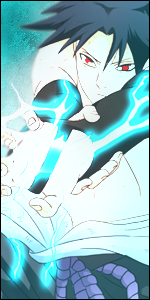
So I got into Photoshop for 30Minutes, and made this:
v1.0
You must be registered for see images

v2.0
You must be registered for see images


I wish I could of found one today, and saved it to my Desktop, so I could have something to look at while working...
A Inspiration xd
But I couldn't find that "Inspiration" so I just started off and came out with shown above...
The only Difference between v1.0 and v2.0 is that in 2.0 I added Gaussian Blur and My Name ;)

Comment, Complain, Rate, Hate, anything you feel is suitable towards you...
And this is my Second Signature I made without a Tutorial... Dead Serious:|

 

Adore

Jōnin Strategist 🧠
Regular
Joined
Oct 9, 2011
Messages
1,057
Reaction score
247
It exceeds the forum limit. :|
And not bad air sig except it is cut off on all the sides.
 

Toshiro

Kage in the Making 👑
Legendary
Joined
Nov 29, 2011
Messages
10,758
Reaction score
608
It exceeds the forum limit. :|
And not bad air sig except it is cut off on all the sides.

Yes I know :|
I was gonna reduce the size laterxd
But I didn't realize all the Sides were cut off until I Uploaded it to Photobucket...
Its hard to see in Photoshop lol when your working with a White Background:rolleyes:
 

Roy

Kage in the Making 👑
Legendary
Joined
Oct 7, 2011
Messages
10,366
Reaction score
521
Yes I know :|
I was gonna reduce the size laterxd
But I didn't realize all the Sides were cut off until I Uploaded it to Photobucket...
Its hard to see in Photoshop lol when your working with a White Background:rolleyes:

Just go around those cut off parts with a soft eraser brush and you won't notice anything ^^

Maximum size is 650x300 by the way

And like I already told you, I like it =DD
 

Mercy

Sannin of the Scrolls 📜
Elite
Joined
Jul 4, 2011
Messages
6,143
Reaction score
2,009
Its hard to see in Photoshop lol when your working with a White Background:rolleyes:

You know, there is a function to change the background color, just saying.
 

Lord Snow

Kage in the Making 👑
Legendary
Joined
Jan 30, 2011
Messages
13,603
Reaction score
559
Thats a cool air sig, keep working on it.
 

Nathan

Sage of Six Posts 🔮
Immortal
Joined
Mar 26, 2011
Messages
54,369
Reaction score
4,156
Pretty damn good.
 

Adore

Jōnin Strategist 🧠
Regular
Joined
Oct 9, 2011
Messages
1,057
Reaction score
247
doesn't it come in tiles by default ? i never changed anything

That's transparent. :|
U choose transparent, white, or black when u make a new file.
 

Dragonfly X

Anbu Operative 🎭
Veteran
Joined
Aug 3, 2011
Messages
3,694
Reaction score
244
You should have used a noise function, then let than layer add to the original and make it look as if there is an explosion of blue particles come from the bottom xd
 

'Kurapika

Kage in the Making 👑
Legendary
Joined
Feb 27, 2011
Messages
10,266
Reaction score
544
That's transparent. :|
U choose transparent, white, or black when u make a new file.

but his sig doesn't have a background which means he deleted the white background layer , which should leave him with the tiles :|
 

Adore

Jōnin Strategist 🧠
Regular
Joined
Oct 9, 2011
Messages
1,057
Reaction score
247
but his sig doesn't have a background which means he deleted the white background layer , which should leave him with the tiles :|

Gray background = Transparent.

He probably started with a transparent background. :no_ignore:
 

'Kurapika

Kage in the Making 👑
Legendary
Joined
Feb 27, 2011
Messages
10,266
Reaction score
544
Gray background = Transparent.

He probably started with a transparent background. :no_ignore:

never mind i'm to sleepy to think , i really don't want to use my brain right now
 

Toshiro

Kage in the Making 👑
Legendary
Joined
Nov 29, 2011
Messages
10,758
Reaction score
608
There okay. Good job.

Thank You Oh Call Of Duty Perk Machine;)

Just go around those cut off parts with a soft eraser brush and you won't notice anything ^^

Maximum size is 650x300 by the way

And like I already told you, I like it =DD

Yeah I was thinking that, But I'm just gonna do a whole different one... I actually want a Beyonce Theme now... Because she is such a Amazing Singer, and I worship her
You must be registered for see images


You know, there is a function to change the background color, just saying.

Yeah, I actually did change it to Black at one part, but I changed it back because I was gonna add Black into the Sig... But the Black looked kind of Odd so I took it out:cool:
Hey Mercy doing my 3rd Line Art Coloring now...
Its Goku:cool:
But do you have a Tutorial on how to do the Air Sigs... Similar to this?
I wanna make more of these lol:|

it's awesome +rep

Thank You:izuna:

Thats a cool air sig, keep working on it.

Thanks, I probably will post a v3.0 on here later after I get done Coloring Lineart for another Member...

I like the first one alot

Thank You xd

Pretty damn good.

Thanks:D

doesn't it come in tiles by default ? i never changed anything

Thats Transparent, I use White as Default...
lol

That's transparent. :|
U choose transparent, white, or black when u make a new file.

I do White always, Black Practically Never, Transparent on certain Projects

You should have used a noise function, then let than layer add to the original and make it look as if there is an explosion of blue particles come from the bottom xd

So your saying to What? You said to use a Noise Filter.. Then let the Layer add to the Original(Merge?) and make it look like a explosion of Particles?
I think I got what you wrote, but I have a Brush though for the Particlesxd
I just didn't use it yett...
but his sig doesn't have a background which means he deleted the white background layer , which should leave him with the tiles :|
Nope I Made a New Layer>Image>ApplyImage
And then turned off all the Layers I used so far and thats probably why its Transparent...

Gray background = Transparent.

He probably started with a transparent background. :no_ignore:

White xd

never mind i'm to sleepy to think , i really don't want to use my brain right now

I am also Sleepy:|
 

Sprizzle

Member
Joined
Jul 27, 2011
Messages
119
Reaction score
15
cool, >.>
But you should add Naruto their insteadxd
+Rep
 

Two

Anbu Operative 🎭
Veteran
Joined
Aug 30, 2011
Messages
3,418
Reaction score
348
Wow you're doing good, i need to catch up xd
 
Top