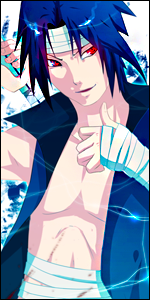
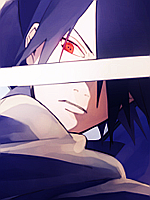
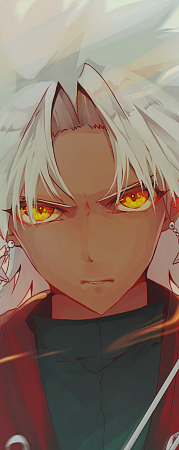
Well I usually do still frame work but I was thinking to myself the other day about my profile image and my sig, and my avatar. I though "hmmm I need something new." So I wanted to combine both of my bio's into one sig or avatar. Now I have NEVER done gif's before so forgive me if this is really crappy U_U but C&C are welcome.....even the bad C&C lol I used Paint.Net (no I don't have Photoshop ) & the Unfreez program
You must be registered for see images
Edit: I know what my sig say's. I'm currently working on my updated bio's so I'll be changing a few things.
Lol i'll give ya a tip as the best proffesional gfxer of this forum * cough * you should've made more layers so it would look more smoother because now it's just hopping from 1 layer to another on a rather slow rate. Nice for 1st time though.
Lol i'll give ya a tip as the best proffesional gfxer of this forum * cough * you should've made more layers so it would look more smoother because now it's just hopping from 1 layer to another on a rather slow rate. Nice for 1st time though.
Thanks ^_^ and I can slow it up or make it go faster by pressing 1 button lol That Unfreez program is awesome xd lol I'll go back and add some more layers of color and make it faster. Thanks for the tip ^_^ is you have anymore on gif's or by still frame please let me know
Well I usually do still frame work but I was thinking to myself the other day about my profile image and my sig, and my avatar. I though "hmmm I need something new." So I wanted to combine both of my bio's into one sig or avatar. Now I have NEVER done gif's before so forgive me if this is really crappy U_U but C&C are welcome.....even the bad C&C lol I used Paint.Net (no I don't have Photoshop ) & the Unfreez program
You must be registered for see images
Edit: I know what my sig say's. I'm currently working on my updated bio's so I'll be changing a few things.
Anyway, here are my tips. The quality of the work/signature/avatar .. whatever you are making .. depends on these stuffs. Take note of this. Always use a very good quality Render, use of good color (not some random/default color..they sux), the correct use of elements and the blending you use. If you really failed any of this stuff, the siggy will be suckish.
What I meant by " use of elements" - Elements in GFX can be like C4D, text, other stock .. and so on. Use it wisely. Like text, if the text is bad cos of the wrong font you chose, it will ruined everything. So think twice if you would like to use elements. Because if yo failed to use it properly, it will be ruined the whole siggy.
So in your case,
1. poor quality render => I suggest try Deviantart or planetrender to get the best type of render.
2. Try not to use elements like smoke, c4d .. for your case .. because trust me .. this skills are quite tough actually. I must admit i sucks at this too. But I take other styles.. its not like c4d is the only style for siggy. I suggest try to go learn other type of styles.
3. Remove the text. You are making an ava. Text are best used in a siggy.
4. Dont use blending for a gif.
5. Color ... This is very hard to teach. Because i must admit it a skills to find a perfect color that is very pleasant to the eye and it really fits to the whole siggy. I suggest go take a look at the Hall of fame or Deviantart.com to see the pro's siggy and see how they chose the color.
Good luck pal~
EDIT: I realized you got no photoshop. Try your best to get this .. but if cant, then you can try Gimp. Also, there is an online website that works something like photoshop too. google it
Anyway, here are my tips. The quality of the work/signature/avatar .. whatever you are making .. depends on these stuffs. Take note of this. Always use a very good quality Render, use of good color (not some random/default color..they sux), the correct use of elements and the blending you use. If you really failed any of this stuff, the siggy will be suckish.
What I meant by " use of elements" - Elements in GFX can be like C4D, text, other stock .. and so on. Use it wisely. Like text, if the text is bad cos of the wrong font you chose, it will ruined everything. So think twice if you would like to use elements. Because if yo failed to use it properly, it will be ruined the whole siggy.
So in your case,
1. poor quality render => I suggest try Deviantart or planetrender to get the best type of render.
2. Try not to use elements like smoke, c4d .. for your case .. because trust me .. this skills are quite tough actually. I must admit i sucks at this too. But I take other styles.. its not like c4d is the only style for siggy. I suggest try to go learn other type of styles.
3. Remove the text. You are making an ava. Text are best used in a siggy.
4. Dont use blending for a gif.
5. Color ... This is very hard to teach. Because i must admit it a skills to find a perfect color that is very pleasant to the eye and it really fits to the whole siggy. I suggest go take a look at the Hall of fame or Deviantart.com to see the pro's siggy and see how they chose the color.
Good luck pal~
EDIT: I realized you got no photoshop. Try your best to get this .. but if cant, then you can try Gimp. Also, there is an online website that works something like photoshop too. google it
Ok thank you very much for your help. I'll try to use your advice and make my work better. I'll go and try to make another avatar and if you would could you look at the finish product and tell me what you think? wease:
And really? I didn't realize it was that hard. In my sig I did a smoke effect on accident mostly (I was messing around with the Layer property's of my sig one day and found it lol
Ok thank you very much for your help. I'll try to use your advice and make my work better. I'll go and try to make another avatar and if you would could you look at the finish product and tell me what you think? wease:
And really? I didn't realize it was that hard. In my sig I did a smoke effect on accident mostly (I was messing around with the Layer property's of my sig one day and found it lol
Sure why not. I suggest try to practice a 150x200 ava instead of 150x300 one. Challenge yourself abit. With smaller and limited space, this will limitize your skills. But if you really wanted to train your GFX skills and try and play some stuff, try on Siggy .. and not ava. So best if you practice making GIF on siggy. :0
And you found some features by accident shows a good sign that you are really playing with stuff. Which is good. But more can be improve.. with the use of smoke effect. Also dont just stick this smoke effect style cos you will ended up bored with the style and you will run out of idea to make a new siggy. Plus, always be creative. Most important.

 ) & the Unfreez program