[Moofy Art] - First "Real" Avatar

ᴍᴏᴏғʏ

Kage in the Making 👑
Legendary
Joined
Nov 14, 2014
Messages
10,065
Reaction score
135
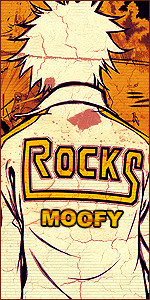
So I've been messing around with Photoshop but had never made an avatar, sure I was resizing them and adding a plain border but today I decided to do something more custom so I took a stock imagine from my RPG biography, rendered it and made it into an avatar.

What do you guys think? Maybe any tips and tricks? Highly appreciated! :win:

You must be registered for see images
 

Six Paths

Kage in the Making 👑
Legendary
Joined
Oct 27, 2012
Messages
16,506
Reaction score
1,135
The effect is not really pleasing to the eye, the colors are not in harmony with each other.What I would suggest, is only choose high quality renders, play with the layer styles, play more with gradients, and use the filter effects, the blur ones mostly, play around with them. As for your first work, it isn't bad at all, the render isn't stretched and you added a border. Another tip is holt shift while you resize, it will help you keep the dimensions true.

I expect great things from you Moofy!! :D
 

ᴍᴏᴏғʏ

Kage in the Making 👑
Legendary
Joined
Nov 14, 2014
Messages
10,065
Reaction score
135
The effect is not really pleasing to the eye, the colors are not in harmony with each other.What I would suggest, is only choose high quality renders, play with the layer styles, play more with gradients, and use the filter effects, the blur ones mostly, play around with them. As for your first work, it isn't bad at all, the render isn't stretched and you added a border. Another tip is holt shift while you resize, it will help you keep the dimensions true.

I expect great things from you Moofy!! :D

Its hard for me to comprehend most of the tools you mentioned but I think I have a vague idea of them. And yeah as for the colors I tried to draw from what was in the render, the yellow from his hair and the green background from his eyes. As for the effect, I randomly clicked something from the effect gallery xD

And thank you, it means a lot and how come you do? :sweat:

I'll see if I can find a better quality render, although from that character its next to impossible sadly :(


Edit: I sharpened the overall outcome and it made it clear and lighter for some reason xD


Ty for the productive feedback!
 

BlacLord™

Kage in the Making 👑
Legendary
Joined
Jun 7, 2012
Messages
16,201
Reaction score
1,503
The effect is not really pleasing to the eye, the colors are not in harmony with each other.What I would suggest, is only choose high quality renders, play with the layer styles, play more with gradients, and use the filter effects, the blur ones mostly, play around with them. As for your first work, it isn't bad at all, the render isn't stretched and you added a border. Another tip is holt shift while you resize, it will help you keep the dimensions true.

I expect great things from you Moofy!! :D

You're one to talk.
 
Top