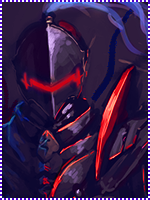
[Photoshop] It's a monkey

Trollo Lucilfer

Kage in the Making 👑
Legendary
Joined
Sep 26, 2012
Messages
12,510
Reaction score
418
Here it is ladies and gents


You must be registered for see images


You must be registered for see images


CNC please?​
 

The7thHokage

Sannin of the Scrolls 📜
Elite
Joined
Aug 11, 2011
Messages
9,274
Reaction score
618
You always have amazing work, weirdo !

Nice Job -_-
 

Klad

Legendary Shinobi 🐸
Supreme
Joined
Jul 13, 2012
Messages
26,125
Reaction score
1,524
Cool . Pretty cool .
 

Cascade

Jōnin Strategist 🧠
Regular
Joined
May 10, 2012
Messages
1,469
Reaction score
327
BETTER!!
i am really happy with this improvement
heres some CnC for ur work

dont just use the render to support the background, try and use c4d to gain flow, depth and further accentuate colours.
next is to pay attention to lighting - yes the fractal is a nice effect on this BUT u need to make sure they dont turn against the lighting of the render - that should be key!
also try and make a focal point, find a factor of the render to highlight with the c4d and fractal u use instead of making just a scene from fractals

DEPTH - a big one, this will be gained through lighting, blur AND u can use a LITTLE topaz :)

the text is very nice and fitting however i would suggest a less centered position.
some really simple tips would be

- large low opacity black brush to better blend the render
burn around the edges and dodge the center and focal points a bit more
add effects other than just the fractall and make sure they fit lighting

The overall composition of this work isnt anything special but could be a lot better but the most important thing is, YOUR IMPROVING!
glad to see the effort and change, +repped man
 
Last edited:

TheLastSamurai

Anbu Operative 🎭
Veteran
Joined
Dec 29, 2011
Messages
4,521
Reaction score
295
This one is way better than your previous one, GJ ^^
 

Trollo Lucilfer

Kage in the Making 👑
Legendary
Joined
Sep 26, 2012
Messages
12,510
Reaction score
418
BETTER!!
i am really happy with this improvement
heres some CnC for ur work

dont just use the render to support the background, try and use c4d to gain flow, depth and further accentuate colours.
next is to pay attention to lighting - yes the fractal is a nice effect on this BUT u need to make sure they turn against the lighting of the render - that should be key!
also try and make a focal point, find a factor of the render to highlight with the c4d and fractal u use instead of making just a scene from fractals

DEPTH - a big one, this will be gained through lighting, blur AND u can use a LITTLE topaz :)

the text is very nice and fitting however i would suggest a less centered position.
some really simple tips would be

- large low opacity black brush to better blend the render
burn around the edges and dodge the center and focal points a bit more
add effects other than just the fractall and make sure they fit lighting

The overall composition of this work isnt anything special but could be a lot better but the most important thing is, YOUR IMPROVING!
glad to see the effort and change, +repped man

Thanks man, means a lot :heh:
 

-Carnage-

Sannin of the Scrolls 📜
Elite
Joined
Jul 4, 2012
Messages
8,222
Reaction score
661
well cascade did that already :sweat:
not much else I can add ._.
 
Top