H4lp

Cooh

Anbu Operative 🎭
Veteran
Joined
May 26, 2013
Messages
4,287
Reaction score
319
You must be registered for see images


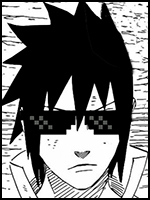
Can someone explain to me how I can get that redish colour effect with photoshop like on the picture above?
 

Horus

Elite
Joined
Sep 25, 2012
Messages
8,298
Reaction score
1,485
You can either use a brush color similar to the color that you want (must be an intense color) and then you brush over the image, and set the brush layer on softlight and reduce the opacity to your liking. You can leave it at normal with a low opacity too.
You can also use a gradient map with the aforementioned settings and you'll get the effect

 

Cooh

Anbu Operative 🎭
Veteran
Joined
May 26, 2013
Messages
4,287
Reaction score
319
You can either use a brush color similar to the color that you want (must be an intense color) and then you brush over the image, and set the brush layer on softlight and reduce the opacity to your liking. You can leave it at normal with a low opacity too.
You can also use a gradient map with the aforementioned settings and you'll get the effect

Thank you very much :)

Think I got it more or less :D
 
Last edited:
Top