[Gimp] First Legit Smudge Sig Attempt

Pavoneo

Anbu Operative 🎭
Veteran
Joined
May 1, 2012
Messages
2,646
Reaction score
616
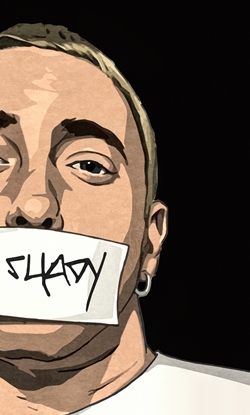
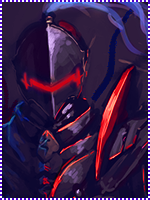
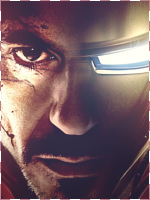
So I tried for a smudge sig, I think it came out pretty well for a first try. There are some things I don't like but I have no idea how to fix them T_T

You must be registered for see images


I'm really looking to get good at smudge sigs so if someone could pleaseee give me some CnC or some tips that'd be amazing.

[EDIT] Render
You must be registered for see images
This render could be found in BeastBomb (and team)'s
 
Last edited:

Funky Tiger

Anbu Operative 🎭
Veteran
Joined
May 12, 2013
Messages
4,169
Reaction score
433
duplicate the render, and smudge the duplicated layer, and set it to maybe screen or dodge on a very low opacity. That should blend the render with the background, and do more smudging in the base of the render. Tweak with the lighting a little bit, and then change the saturation to give it a rounded effect. Nice first try (y)
 

Pavoneo

Anbu Operative 🎭
Veteran
Joined
May 1, 2012
Messages
2,646
Reaction score
616
duplicate the render, and smudge the duplicated layer, and set it to maybe screen or dodge on a very low opacity. That should blend the render with the background, and do more smudging in the base of the render. Tweak with the lighting a little bit, and then change the saturation to give it a rounded effect. Nice first try (y)

Thanks for the advice, when you say more smudging in the base of the render, do you mean around the sides of it to help it blend with the bg more or like, actually inside the render where the arms are (or somewhere around there)?
 

BazzBee

Kage in the Making 👑
Legendary
Joined
Mar 11, 2013
Messages
14,587
Reaction score
1,222
Nice job i like watch tuts for improvement ^_^
 

Funky Tiger

Anbu Operative 🎭
Veteran
Joined
May 12, 2013
Messages
4,169
Reaction score
433
around the bottom of the render, and maybe below the arms. or better, add c4ds there to to make it look even better.
 

-Carnage-

Sannin of the Scrolls 📜
Elite
Joined
Jul 4, 2012
Messages
8,222
Reaction score
661
Nice :D
Maybe using the burn tool (set on shadow) on some smudged parts would make the lighting pop out more
or curves
both work.. I think xD
 
Top