[Gimp] Avatar Help me improve

SQY

Anbu Operative 🎭
Veteran
Joined
Jul 10, 2012
Messages
2,932
Reaction score
554
O'k, so I know Avatars are supposed to be focused around the Head area and such, but for this, I just done it further away, now tell me, what do I need to actually improve on or add to this to make it better? What am I missing and how can I do it?

Because in all honesty saying stuff like ''Keep practicing'' or go watch sum vidz lolz isn't helping at all, and it would be easier to ask for help on a picture I put up.

One more thing, I didn't add a border because I can't even find a normal easy to follow video on Youtube.

All I'm asking is for help, straight up down to earth Help!.

Here it is
You must be registered for see images


- Tell me what to add

- Tell me the problems

- Even tell me the basics, I don't care, I'm new to this, and I need some help
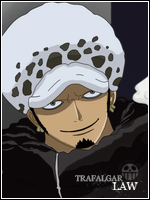
 

Gèckö

Kage in the Making 👑
Legendary
Joined
May 1, 2012
Messages
13,034
Reaction score
437
avatars don't need to be focused on the head area but most people on this base like it that way
but for that avy it looks like you just put a render on a background
 

SQY

Anbu Operative 🎭
Veteran
Joined
Jul 10, 2012
Messages
2,932
Reaction score
554
avatars don't need to be focused on the head area but most people on this base like it that way
but for that avy it looks like you just put a render on a background

Because THATS what I DID, I'm asking what DO I DO to this IMAGE to IMPROVE.

Saying: ''it looks like you just put a render on a background'' doesn't help me improve, but it just points out an obvious flaw if I were to post this, I'm asking for help on the actual picture itself.
 

Ryu sannin

Leaf Village Regular 🍃
Regular
Joined
Sep 23, 2010
Messages
753
Reaction score
58
It looks good but will look even better if you blend the render with the background.
 

SQY

Anbu Operative 🎭
Veteran
Joined
Jul 10, 2012
Messages
2,932
Reaction score
554
It looks good but will look even better if you blend the render with the background.

And it would also be better if you told me how to. Which is the question I'm trying to get at here.
 

gordo1

Anbu Operative 🎭
Veteran
Joined
Jun 15, 2012
Messages
4,666
Reaction score
351
Add some filters, mess around with saturation, contrast, etc. It really adds a lot to your GFX
 

SQY

Anbu Operative 🎭
Veteran
Joined
Jul 10, 2012
Messages
2,932
Reaction score
554
Add some filters, mess around with saturation, contrast, etc. It really adds a lot to your GFX

I tried that before, until I got put down in one of my threads.
 

Ryu sannin

Leaf Village Regular 🍃
Regular
Joined
Sep 23, 2010
Messages
753
Reaction score
58
Add some filters, mess around with saturation, contrast, etc. It really adds a lot to your GFX

This^ and and by blend I mean equalize the colors, the render does not look like it belongs to the background
 

Gèckö

Kage in the Making 👑
Legendary
Joined
May 1, 2012
Messages
13,034
Reaction score
437
Because THATS what I DID, I'm asking what DO I DO to this IMAGE to IMPROVE.

Saying: ''it looks like you just put a render on a background'' doesn't help me improve, but it just points out an obvious flaw if I were to post this, I'm asking for help on the actual picture itself.

sorry dude i wasn't sure what you did if you want to focus more on the head area
try cropping
 

SQY

Anbu Operative 🎭
Veteran
Joined
Jul 10, 2012
Messages
2,932
Reaction score
554
This^ and and by blend I mean equalize the colors, the render does not look like it belongs to the background

So if I mess around abit, make it look maybe blueish with saturation and colours and add a border it will be done?
 

Silico

Banned
Legendary
Joined
May 26, 2012
Messages
14,626
Reaction score
1,665
1. Border.
2. Blending.
3. Focal work, in avatars faces/head areas are commonly used as focal..
4. Find more suitable backgrounds..
5. Lightning effects.. can easily be made by brushes..


:)

Btw, i've never worked with GIMP before, so i cannot develop these tutorials further.
 

OnPoint

Anbu Operative 🎭
Veteran
Joined
Jul 7, 2012
Messages
4,285
Reaction score
641
I think you should use a different background (without blue), it stands out and it shouldn't. My attention is not drawn to the render, but to the background. That's just my thoughts.
 

Gèckö

Kage in the Making 👑
Legendary
Joined
May 1, 2012
Messages
13,034
Reaction score
437
wow skorm just looked at you sig
thankyou this actually helped me
 

Ryu sannin

Leaf Village Regular 🍃
Regular
Joined
Sep 23, 2010
Messages
753
Reaction score
58
So if I mess around abit, make it look maybe blueish with saturation and colours and add a border it will be done?

If you are satisfied then yes, play with the effects, and post the final result, we'll see if it looks good or not.
 

SQY

Anbu Operative 🎭
Veteran
Joined
Jul 10, 2012
Messages
2,932
Reaction score
554
If you are satisfied then yes, play with the effects, and post the final result, we'll see if it looks good or not.

O'k, so I that saturation stuff and colour, it came out like this..
Btw the border looks bad because the guy in the video skorm linked done it, so I kinda followed it..

You must be registered for see images
 

Cascade

Jōnin Strategist 🧠
Regular
Joined
May 10, 2012
Messages
1,469
Reaction score
327
a few things to work on:
1. when someone gives u constructive critasism...dont attack them theyre only trying to help...
2. reading tuts and watching video's WILL add to your repetuar of skills on photoshop or whatever you are using and will mean u can do more with ur skills later on.
3. border = edit - stroke with the layer selected :) (atleast on PS...not sure about gimp)
4.Focal points
- try to make it so that in an avatar -there is darker shading etc towards the corners - whilst the centre or 'focal (focus) point' of the avatar has more light - therefore bringing more attention to it...on PS u can use the 'burn tool' for darkening and the 'dodge tool' for bringing light:)

5. c4d integration...

i suggest you have a look around for some c4d and effect packs as they can make things a lot easier to work with...

6. have someone on msn, skype, facebook, whatever - online with you while you work -
it means you have someone to give u guidance in both technique and style throughout your work and can reduce mistakes that can mean huge errors in your work
(this is how i work and ive improved durastically after getting more and more CnC from the base and my mentor's)- GIMP is a bit harder BUT im sure there is a way for u to get PS pretty easily...

Hope i helpd - again dont get mad at people giving u CnC - theyre only trying to provide you with what you asked for.
 

Titania Erza

Anbu Operative 🎭
Veteran
Joined
Mar 15, 2012
Messages
3,726
Reaction score
690
Next time try to make a background yourself wuth used render so that the render fits with the bg. That can be either dine by usig the smudge tool or with the blur option.

Also try to make the render blends better by going with the eraser tool around the edges of the render withthe hardness set as low as pissible. With around the edges I mean dont touch the render itself only a really small but of its edges
 
Top