
[Photoshop] Grand anime signiture

uchiha hovis

Leaf Village Regular 🍃
Regular
Joined
Jan 6, 2012
Messages
755
Reaction score
55
You must be registered for see images

here u go guys the latest sig ive made

 

Nara..

Anbu Operative 🎭
Veteran
Joined
Aug 22, 2011
Messages
3,715
Reaction score
303
That's too big for a sig U_U

Try reading some sig tut
 
Last edited:

CeeJay.

Anbu Operative 🎭
Veteran
Joined
Aug 23, 2011
Messages
4,169
Reaction score
354
He means it exceeds the signature size limit.
Unfortunately you will have to either take it down, or resize it.

On the other hand, its good to see newcomers to gfx. Welcome. and I hope you continue sharpening your skills, keep practicing, and if you have any questions, feel free to ask on my profile.
 

Nara..

Anbu Operative 🎭
Veteran
Joined
Aug 22, 2011
Messages
3,715
Reaction score
303
To be honest, all I see is a bg with render pasted in it and arranged with some glows
 

Yugure

Sannin of the Scrolls 📜
Elite
Joined
Nov 11, 2010
Messages
8,525
Reaction score
731
I agree with Nara.. It's a black backgrond with some renders stuck before it. and a couple of effects. Try to smudge, use one render sig size something like 300x150 blur it, brush it and add just a couple of effects. Tutorials are really good to learn some wicked stuff!
 

Mercy

Sannin of the Scrolls 📜
Elite
Joined
Jul 4, 2011
Messages
6,143
Reaction score
2,009
To be honest, all I see is a bg with render pasted in it and arranged with some glows
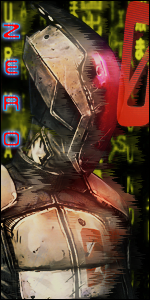
To me that looks just like a render with some glow, arranged on a BG;


:p

Cut him some slack, he's new to Photoshop.

On Topic: You should just read some tutorials, maybe take a look at . It's long but pretty helpful, also just read (or watch) some Basic Photoshop Tutorials and you'll get better pretty fast.

For example this is how I "evolved". xd

This was made back in March so it's from Fall 2007 until March 2012. ;D
 
Last edited:
Top