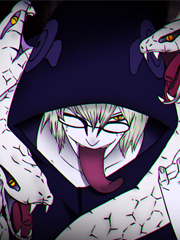
so how do you make these type of signature?

Angelofchaos179

Jōnin Strategist 🧠
Veteran
Joined
May 23, 2014
Messages
2,304
Reaction score
195
You must be registered for see images


You must be registered for see images


You must be registered for see images


You must be registered for see images
 

Defence

Anbu Operative 🎭
Veteran
Joined
Mar 2, 2012
Messages
4,242
Reaction score
479
Madara base is Swag. Post in the request section and a kind soul will help ya out
 

Rohan

Legendary Shinobi 🐸
Supreme
Joined
Mar 10, 2014
Messages
24,320
Reaction score
4,102
You should ask Lord Gobb, he will teach you. These sigs I think we're made by Photoshop program.
 

Ricardo

Banned
Elite
Joined
Mar 13, 2014
Messages
8,708
Reaction score
1,019
I want to be apart of the "Date a live" base.
 

Mr Akatsuki

Leaf Village Regular 🍃
Regular
Joined
Sep 3, 2014
Messages
875
Reaction score
85
It's not that hard. Most of them are probably made by the same person so it looks official which is really nice.
Here's on I made. Perhaps not as nice, but I made it.

You must be registered for see images
 

Discotex

Member
Joined
May 1, 2015
Messages
84
Reaction score
14
How?

Cropping already created and drawn original images, placing logo-text on them and adding a few adjustment layers to make it better.

It's really simple.
 

Torche

Sage of Six Posts 🔮
Immortal
Joined
May 15, 2013
Messages
58,956
Reaction score
3,171
How?

Cropping already created and drawn original images, placing logo-text on them and adding a few adjustment layers to make it better.

It's really simple.

Exactly this. :lol Although it was more than "a few" adjustment layers.

The main font is . Have a look at this video to make it look like Naruto's.

[video=youtube;hXl8zYP9kKQ]https://www.youtube.com/watch?v=hXl8zYP9kKQ[/video]

If you wanted the gradient on just each letter to be exactly like Naruto's you'd make one text layer with the whole text written and then to separate text layers with each individual letter and move them to line up with the whole text layer. You'd then make the gradient the other way and copy and paste the layer style to each letter. But ain't nobody got time for that. :bdpf:

Good luck. :)
 

Discotex

Member
Joined
May 1, 2015
Messages
84
Reaction score
14
Exactly this. :lol Although it was more than "a few" adjustment layers.

The main font is . Have a look at this video to make it look like Naruto's.

[video=youtube;hXl8zYP9kKQ]https://www.youtube.com/watch?v=hXl8zYP9kKQ[/video]

If you wanted the gradient on just each letter to be exactly like Naruto's you'd make one text layer with the whole text written and then to separate text layers with each individual letter and move them to line up with the whole text layer. You'd then make the gradient the other way and copy and paste the layer style to each letter. But ain't nobody got time for that. :bdpf:

Good luck. :)

Yup, my bad about a "few" adjustment layers. The number varies between how the user wants the it to look like.
 
Top