Premium Avys

Goetia

Legendary Shinobi 🐸
Supreme
Joined
Mar 12, 2014
Messages
34,484
Reaction score
1,419
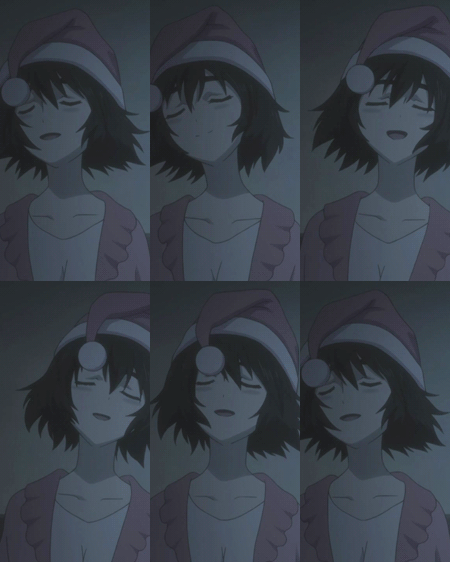
Just got PS, and I've been playing around a bit with some stocks to get comfortable using it.

You must be registered for see images

Resources:​

You must be registered for see images

CnC would be much appreciated. All avatars are free for use.
 

Form

Legendary Shinobi 🐸
Supreme
Joined
Nov 30, 2012
Messages
30,932
Reaction score
1,672
For someone who just got PS, you're already making fine avys. Nicely done.
 

Everztar

Anbu Operative 🎭
Veteran
Joined
Dec 10, 2012
Messages
4,117
Reaction score
922
RURUSHU LOVE <3
STRONG WORK
MANY LEGITS
THANKS FOR YOU
VERY BEST ENGRISH NAO
PLS LOVE BACK

jokes aside, nice avys! i appreciate your work... you're pretty good at this aren't you, love? :>
 
Last edited:

Goetia

Legendary Shinobi 🐸
Supreme
Joined
Mar 12, 2014
Messages
34,484
Reaction score
1,419
Second one is the best.

Great job. :)

Thanks ^^

For someone who just got PS, you're already making fine avys. Nicely done.

I wouldn't say they are that good...but thank you.

RURUSHU LOVE <3
STRONG WORK
MANY LEGITS
THANKS FOR YOU
VERY BEST ENGRISH NAO
PLS LOVE BACK

jokes aside, nice avys! i appreciate your work... you're pretty good at this aren't you? :>

GFX'ing? I have spent a fair amount of time doing GFX, so I somewhat know what I'm doing.

Thank you very much.
 

Airi

Sannin of the Scrolls 📜
Elite
Joined
Jun 23, 2014
Messages
5,536
Reaction score
1,199
I really like the second one. Nice work! ^^
 

Torche

Sage of Six Posts 🔮
Immortal
Joined
May 15, 2013
Messages
58,956
Reaction score
3,171
The first avatar's stock, I probably would have rotated clock-wise slightly to give it a better crop. It looks a bit low quality too, perhaps it would have been better a bit darker? A purple/orange gradient map on soft light with slightly lightened opacity/fill would have done the job. Not a lot else to say, really... The others look great, they all do besides the mentioned. Nice work, mate. :)

Edit: Save your avatars as PNG in the future for the best quality. :dafq: XD
 
Last edited:

Goetia

Legendary Shinobi 🐸
Supreme
Joined
Mar 12, 2014
Messages
34,484
Reaction score
1,419
The first avatar's stock, I probably would have rotated clock-wise slightly to give it a better crop. It looks a bit low quality too, perhaps it would have been better a bit darker? A purple/orange gradient map on soft light with slightly lightened opacity/fill would have done the job. Not a lot else to say, really... The others look great, they all do besides the mentioned. Nice work, mate. :)

Edit: Save your avatars as PNG in the future for the best quality. :dafq: XD

Thanks. I'm a bit lazy with crops and resizes, I just do what I think looks good and be done with it. As for the image quality of the first avy, I tried my best to get rid of that grainy effect, and darkening it seemed to worsen it. Thank you for the advice though, much appreciated. I planned to use scanlines in place of the inner border of the Ichigo avatar, I downloaded them for PS, but I couldn't figure out how to use them, so I just did some basic tweaking and put a border on it.

My image hosting site converted it for some odd reason, I'll use imgur next time...

Thanks again for the feedback!
 

Torche

Sage of Six Posts 🔮
Immortal
Joined
May 15, 2013
Messages
58,956
Reaction score
3,171
Thanks. I'm a bit lazy with crops and resizes, I just do what I think looks good and be done with it. As for the image quality of the first avy, I tried my best to get rid of that grainy effect, and darkening it seemed to worsen it. Thank you for the advice though, much appreciated. I planned to use scanlines in place of the inner border of the Ichigo avatar, I downloaded them for PS, but I couldn't figure out how to use them, so I just did some basic tweaking and put a border on it.

My image hosting site converted it for some odd reason, I'll use imgur next time...

Thanks again for the feedback!

Lol It does too. :leaf: Forget I ever mentioned it. :sweat: Using "blur" does get rid of it, but I'm sure you know the possible cons. Lol There are some plugins; Topaz DeNoise and Topaz Clean. They may help... :hmm:
As for scanlines, they should be in the brushes tab. When I used them I use black and set the layer to like "Soft Light" and adjust the Opacity/Fill accordingly. But, it's a trail and error type thing I think.

Yeah. :| Okay. :p

No worries.
 

Goetia

Legendary Shinobi 🐸
Supreme
Joined
Mar 12, 2014
Messages
34,484
Reaction score
1,419
Lol It does too. :leaf: Forget I ever mentioned it. :sweat: Using "blur" does get rid of it, but I'm sure you know the possible cons. Lol There are some plugins; Topaz DeNoise and Topaz Clean. They may help... :hmm:
As for scanlines, they should be in the brushes tab. When I used them I use black and set the layer to like "Soft Light" and adjust the Opacity/Fill accordingly. But, it's a trail and error type thing I think.

Yeah. :| Okay. :p

No worries.

I see. Thanks.
 

Ja maya

Anbu Operative 🎭
Veteran
Joined
Oct 18, 2014
Messages
2,695
Reaction score
152
Good job, can I use the first one for future use?
 

Joker

Legendary Shinobi 🐸
Supreme
Joined
Jun 25, 2013
Messages
29,426
Reaction score
1,559
Yeah, I stole one.
 

Dannie

/
Immortal
Joined
Mar 10, 2014
Messages
47,160
Reaction score
2,798
First time? Yeah, I don't believe that. :/
 
Top