[Photoshop] Naruto Speed paint try

BAN_KAI

Sannin of the Scrolls πŸ“œ
Elite
Joined
Jan 16, 2009
Messages
5,480
Reaction score
867
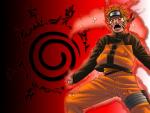
I was looking at a few tuts about speed painting and this is my result, i dont know how long it took me but the hair took me more than 30 min.

IF you dont like the Naruto color its cause the after effects that i added like Gausian blur and Color balance to make it more atractive.


I made V2 just for fun, added a smilie ,somehow resembles Orochimaru right xd
It was really hard cause as you can see in the cleaned version, his mouth is opened and the sage things around his eyes are not there, i had to remove those parts and add my own .

Cleaned version:
You must be registered for see images

You must be registered for see images


V2
You must be registered for see images


SO tell me what do you think ?​
 

Kiba Inuzuka

Sannin of the Scrolls πŸ“œ
Elite
Joined
Jun 13, 2008
Messages
7,982
Reaction score
117
>_< that............there is no word to say how ugly that thing look. He look like the joker if the purple was not there then it well look more nice
 

BAN_KAI

Sannin of the Scrolls πŸ“œ
Elite
Joined
Jan 16, 2009
Messages
5,480
Reaction score
867
>_< that............there is no word to say how ugly that thing look. He look like the joker if the purple was not there then it well look more nice

V2 was made as a joke cause i wanted to make him look like ORO -_- and that purple things are highlights that apear in every single speed painting version


See how it looked before
 

Kiba Inuzuka

Sannin of the Scrolls πŸ“œ
Elite
Joined
Jun 13, 2008
Messages
7,982
Reaction score
117
but still it look so ugly but

but still i give you rep ^^
 

Kiba Inuzuka

Sannin of the Scrolls πŸ“œ
Elite
Joined
Jun 13, 2008
Messages
7,982
Reaction score
117
im not in to coloring yet b/c so far my sig is not good so why go to a high lvl work xd

want more rep for more rep xd
 

zureikat

Jōnin Strategist 🧠
Regular
Joined
Jul 10, 2008
Messages
1,360
Reaction score
62
thanking all ur threads as i promised :p
 

Flaw

Kage in the Making πŸ‘‘
Legendary
Joined
Jun 8, 2008
Messages
14,294
Reaction score
1,240
Record, and speed up the vid , bitch :p
 

BAN_KAI

Sannin of the Scrolls πŸ“œ
Elite
Joined
Jan 16, 2009
Messages
5,480
Reaction score
867
thanking all ur threads as i promised :p


ROFL thanks

Record, and speed up the vid , bitch :p

LOL i wanted that but for a video of AVI quality that last an hour, well maybe add 2x speed it will be like 50 mb, that would take forewer to be uploaded- and i was coloring this thing for 5 days, and i dont know how to copy-paste videos after some time
 

Flaw

Kage in the Making πŸ‘‘
Legendary
Joined
Jun 8, 2008
Messages
14,294
Reaction score
1,240
so wtf is the difference between painting and speed painting :|
 

NarutoGoku

Anbu Operative 🎭
Veteran
Joined
Jun 7, 2008
Messages
4,270
Reaction score
484
this is ugly beyond belief. it seems those tuts showed you nothing.

and stop trying to show off your "cleaning skills". that probably took 2 seconds -.-

besides all that, this is not "speed painting" or any other form of digital painting. this is just a crappy manga coloring. to make things like those tuts u saw, you need much more advanced software.
 
Last edited by a moderator:

Naruto

Leaf Village Regular πŸƒ
Regular
Joined
Nov 9, 2008
Messages
517
Reaction score
138
you have the basic skills, however you'll need to use lighter colors. your shading of his face is good if you'd take the original colors and not those, really. his hair looks too dark, and the lighting is off. i see you've tried to add some realism (upper lip) which is brave, but you'll need to learn more before you try. it's really hard to do that successfully even if you're a talented, experienced artist.

i also notice that you tried to make him look like he's in sage mode. don't. just get the basics, work hard and often, and you will improve.

the total piece looks too blurry, you should fix this by (again) using bright colors.

good luck bro. not trying to put you down but just trying to help a playa out. xd

and the rest of you are being too cruel. help him instead of complaining. =/
 

BAN_KAI

Sannin of the Scrolls πŸ“œ
Elite
Joined
Jan 16, 2009
Messages
5,480
Reaction score
867
you have the basic skills, however you'll need to use lighter colors. your shading of his face is good if you'd take the original colors and not those, really. his hair looks too dark, and the lighting is off. i see you've tried to add some realism (upper lip) which is brave, but you'll need to learn more before you try. it's really hard to do that successfully even if you're a talented, experienced artist.

i also notice that you tried to make him look like he's in sage mode. don't. just get the basics, work hard and often, and you will improve.

the total piece looks too blurry, you should fix this by (again) using bright colors.

good luck bro. not trying to put you down but just trying to help a playa out. xd

and the rest of you are being too cruel. help him instead of complaining. =/


See N-G this is what a comment should be noting like yours, thanks m8 you helped me a lot, i dont know why but i love sage eyes xd and i am not experiance with picking colors but its my 1st try to color in realistic so i will be better :)
 

Caliburn

𝕷𝔒𝖔 π•­π”’π–‘π”€π–Žπ” π–šπ”°
Supreme
Joined
Apr 6, 2009
Messages
20,944
Reaction score
4,197
Thread cleaned from spam, infractions and warnings given, now stop this arguing O_O
 

Valkyria

Jōnin Strategist 🧠
Veteran
Joined
Jul 17, 2009
Messages
2,199
Reaction score
326
Colors look oversaturated. I think the thing you needed to do was to take out the original black outline and use the darker tones or w/e to do your edges. I don't think you can have it both ways.
 

BAN_KAI

Sannin of the Scrolls πŸ“œ
Elite
Joined
Jan 16, 2009
Messages
5,480
Reaction score
867
So FLAW you said that all my original versions are better than the ones with effects, this is the original but i colored later on the layer with effects, you cant say this shit V is better than the one above ??

You must be registered for see images
 
Top