How to make lineart more light

Joined
Mar 16, 2014
Messages
374
Reaction score
47
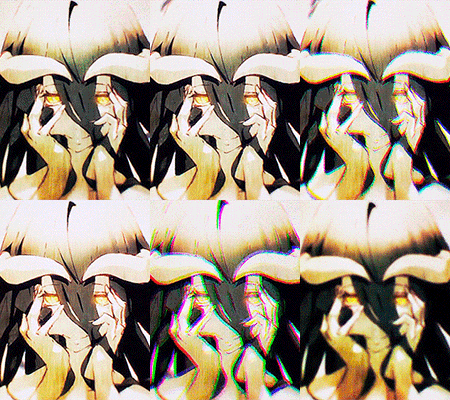
I've decreased its size to 1pt in photoshop and that's minimum. I've seen more light linearts than mine. Please tell me how can I do that. Here's my work:
You must be registered for see images
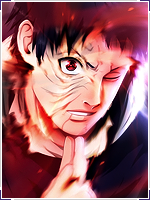
And here's work that I've seen:
You must be registered for see images
 

FemmeFatale

Legendary Shinobi 🐸
Supreme
Joined
May 19, 2013
Messages
28,104
Reaction score
2,116
Change the blush as opposed to the size of it,
And work on them arms
 
Joined
Mar 16, 2014
Messages
374
Reaction score
47
I put that picture to show how my lineart is. not for comments on his arms.... it is same as I posted there.
 

Shinato

Anbu Operative 🎭
Veteran
Joined
Mar 27, 2013
Messages
2,810
Reaction score
514


You mean making the lines lighter? Just make it a lighter shade of gray instead of black.


Shinato

Anbu Operative 🎭
Veteran
Joined
Mar 27, 2013
Messages
2,810
Reaction score
514
You have looked at the Madara's picture in my original post? Please tell me how to create a lineart like that.


That lineart is created using vectors, most likely. It is also fairly thin. (As in a thin line.) The color of the line isn't black, its a lighter shade of grey.


~Puppet Master~

Sannin of the Scrolls 📜
Elite
Joined
Jul 16, 2012
Messages
5,504
Reaction score
786
That lineart is probably done in different software, I can tell they use a pen tablet with pressure detection, you can see how his chin is thicker and blacker than the rest.

I would recommend working on a bigger canvas so you can still use a big brush.
( I work on a 3200x1800 canvas with a 3px pencil tool )

Afterwards, all I can advice you is to increase the brightness of the lines.
 
Top